Free Seating Chart Templates: 4 Downloadable Event Layouts (2026)
Published March 16, 2026 · Updated August 4, 2026
These four free seating chart kits give you a concrete starting point for a wedding reception, corporate dinner, gala or fundraiser, and intimate dinner party. Every kit includes an original 1200 × 800 SVG room-layout reference plus a populated synthetic CSV guest list.
Know the boundary before downloading: the CSV contains guest data that Seatify can import. The SVG is a visual reference only. Seatify does not import the SVG, its table geometry, seat positions, or assignments. These kits do not include PDF, DOCX, PPTX, XLSX, or Google Sheets files, and they do not install a preloaded layout.
Four free seating-chart reference kits
Each kit has a 1200 × 800 SVG reference blueprint and a populated synthetic CSV guest list. Seatify imports the CSV guest rows only. It does not import SVG geometry, tables, seats, or assignments.
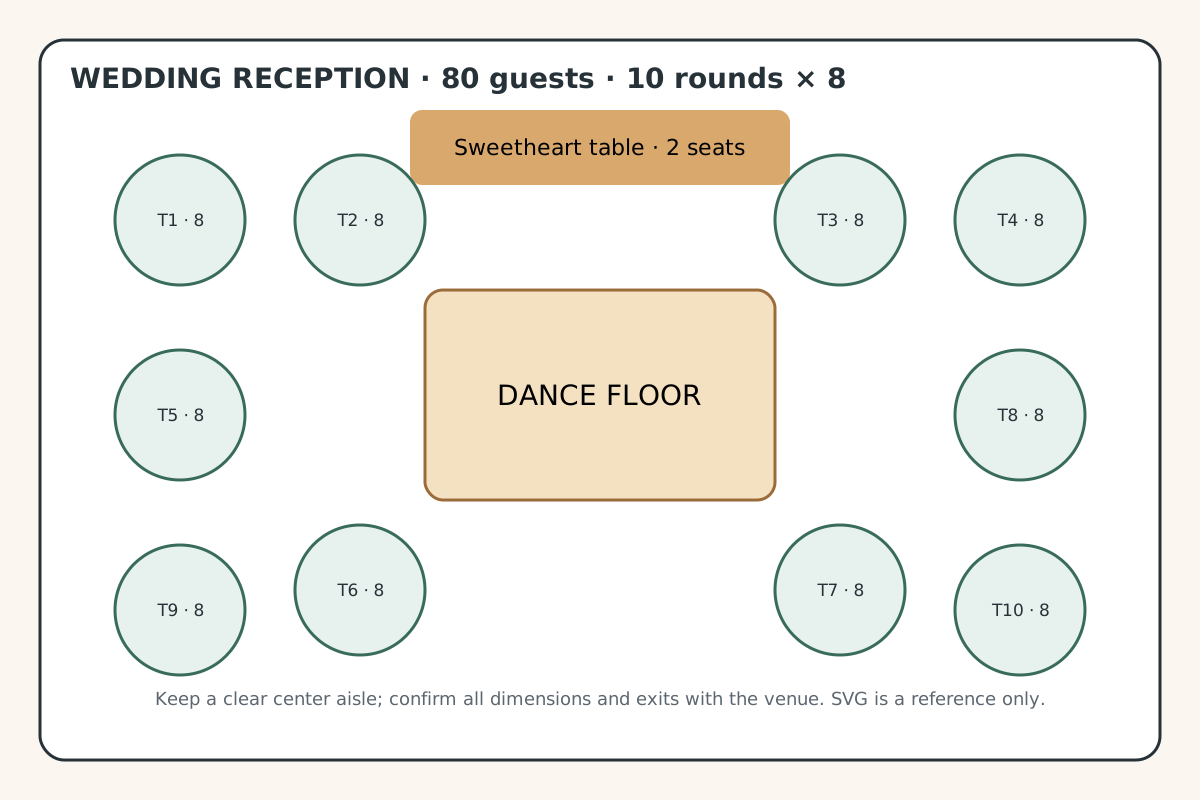
Wedding reception — round tables
Capacity: 80 guests: 10 round tables × 8 seats, plus a two-person sweetheart table shown separately.
Use the SVG as a venue-planning reference. Import the CSV guest rows into Seatify, then build tables and assign guests inside the app.
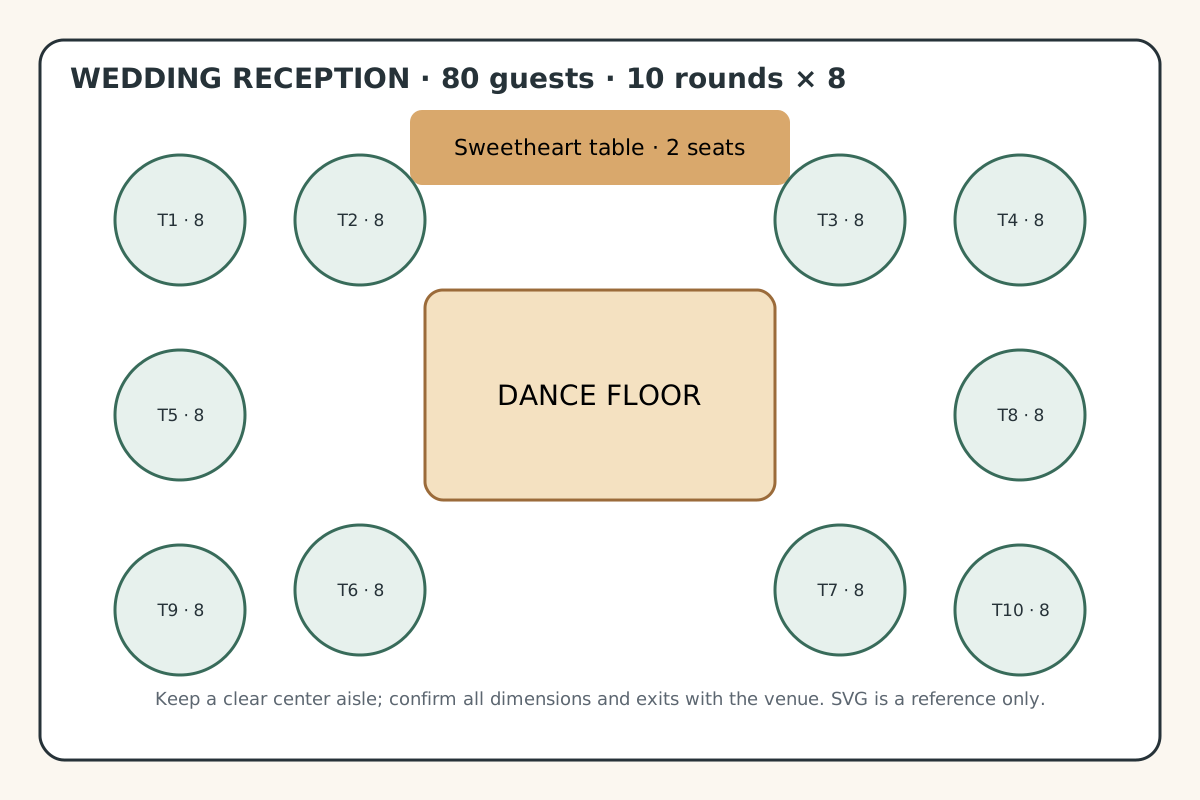
Created 2026-08-04. Seatify-original: authored in-house on 2026-08-04 with synthetic data; no third-party text, logos, screenshots, names, or licensed assets.
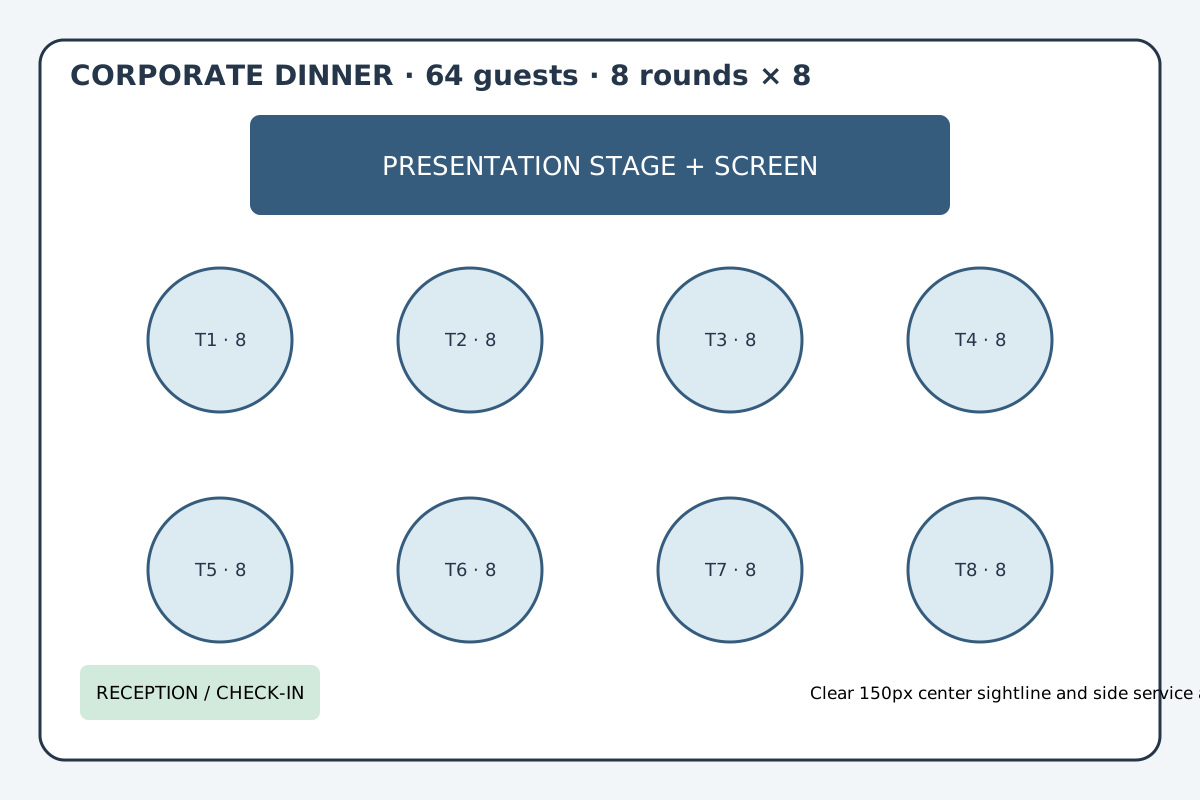
Corporate dinner — round tables
Capacity: 64 guests: 8 round tables × 8 seats, oriented toward a presentation stage.
Use the SVG to discuss room flow and sightlines. Import the CSV guest rows; table geometry and assignments must be created separately in Seatify.
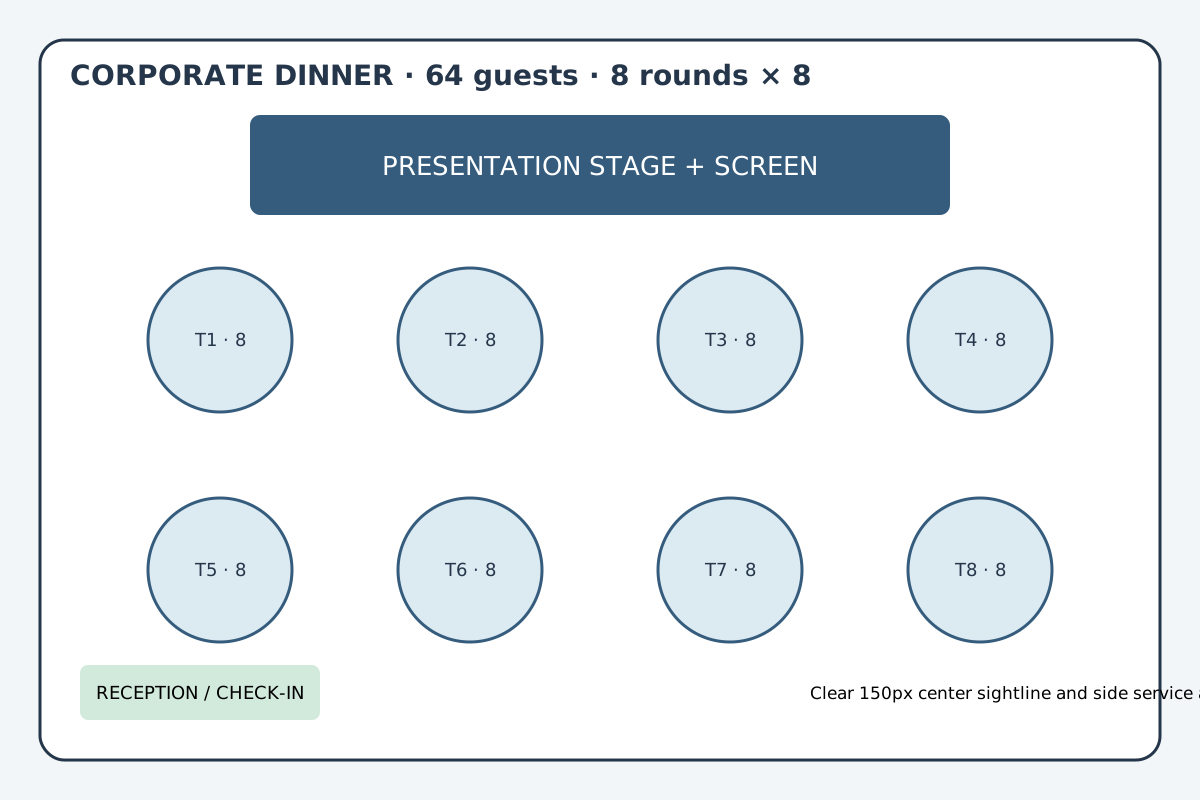
Created 2026-08-04. Seatify-original: authored in-house on 2026-08-04 with synthetic data; no third-party text, logos, screenshots, names, or licensed assets.
Gala or fundraiser
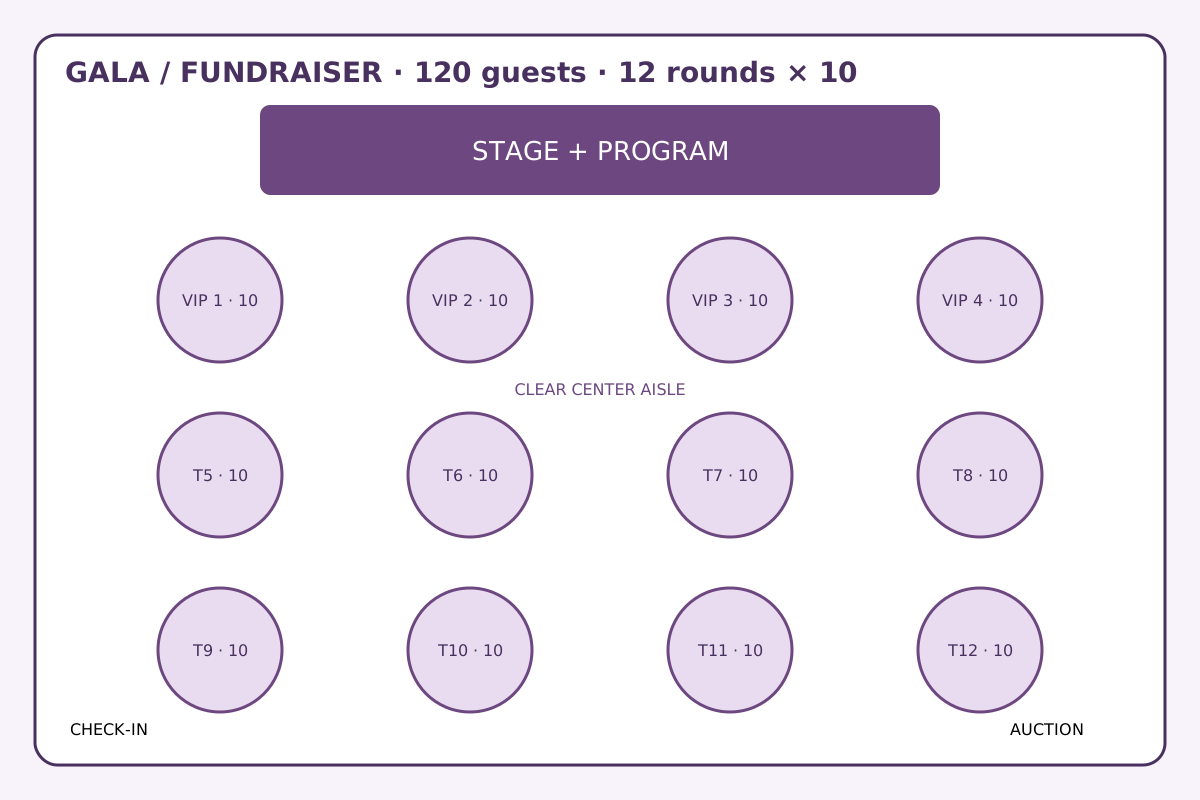
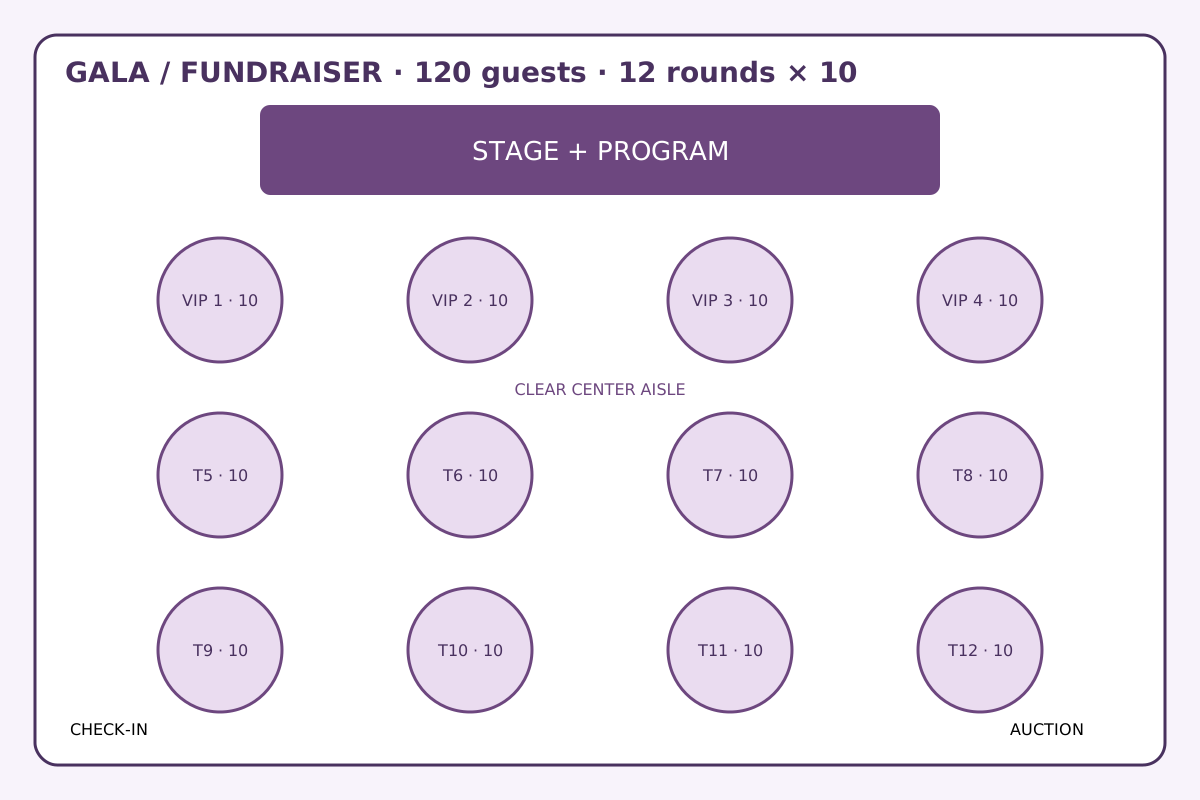
Capacity: 120 guests: 12 round tables × 10 seats, including four stage-front sponsor or VIP tables.
Use the SVG as a capacity and circulation reference. Import only the CSV guest data, then create and assign sponsor tables in Seatify.
Created 2026-08-04. Seatify-original: authored in-house on 2026-08-04 with synthetic data; no third-party text, logos, screenshots, names, or licensed assets.
Intimate dinner party
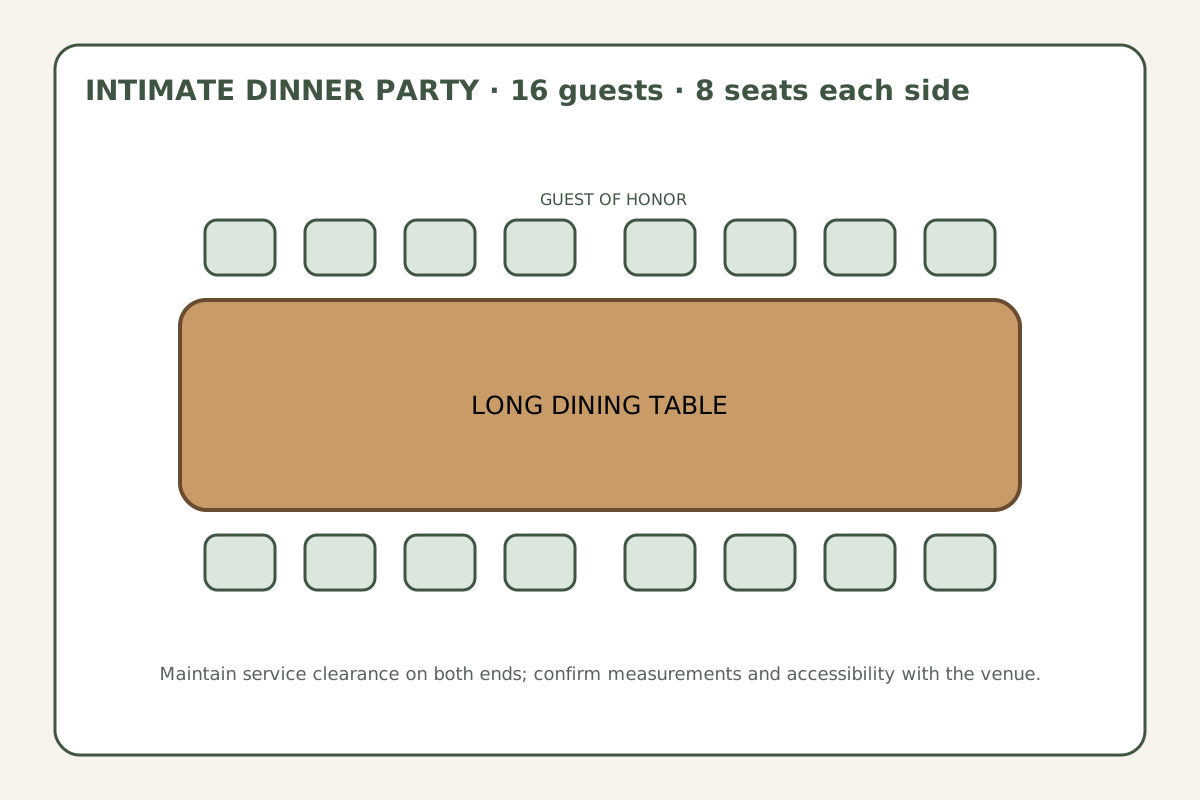
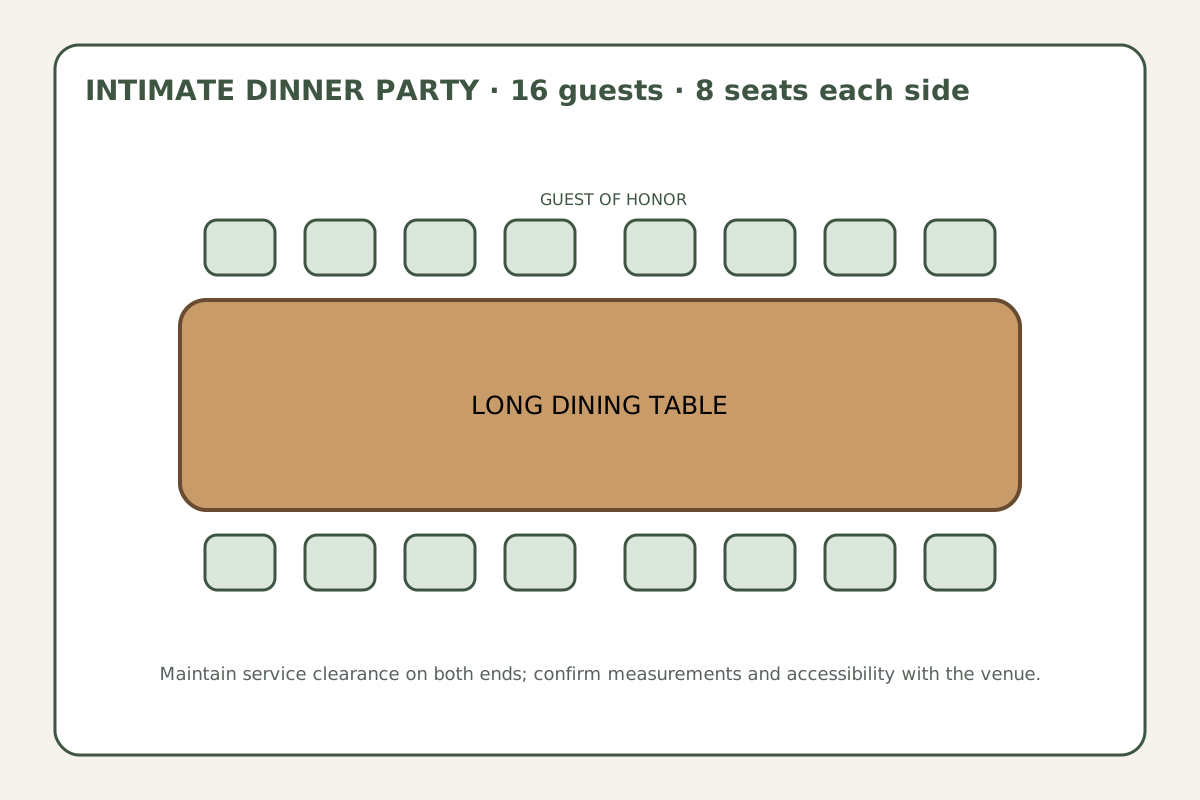
Capacity: 16 guests: one long rectangular table with 8 seats on each side.
Use the SVG as a conversation and service-flow reference. Import the CSV guest rows, then create the table and make assignments in Seatify.
Created 2026-08-04. Seatify-original: authored in-house on 2026-08-04 with synthetic data; no third-party text, logos, screenshots, names, or licensed assets.
How to use the two files
- Download and open the SVG in a browser. Compare its capacity, aisles, stage or service areas with your venue.
- Download the matching UTF-8 CSV. Its synthetic rows demonstrate useful columns such as first name, last name, group, dietary restrictions, and notes.
- In Seatify's guest importer, choose the CSV and review the suggested column mapping before confirming it.
- Create tables in Seatify to match your real venue. Use the SVG only as a reference; tables and assignments are not carried over from either download.
- Replace or remove the synthetic example guests, then make your real assignments in Seatify.
Wedding reception: 80 guests at round tables
The wedding blueprint shows ten round tables with eight seats each, a separate sweetheart table, a dance floor, and clear service aisles. It is a useful conversation starter for a venue with 80 dinner guests, but measurements and fire-code clearances must come from your venue.
The CSV groups invented guests by relationship context so you can see how Group maps during import. It deliberately contains no table-assignment column: importing guests is not the same as importing a finished plan. For more wedding-specific planning guidance, see the wedding seating page.
Corporate dinner: 64 guests facing a stage
The corporate reference uses eight round tables of eight, with the stage kept visible and a reception zone near the entrance. The synthetic CSV includes departments, companies, and job titles that the importer can map or retain for review.
Build the actual room inside Seatify after importing the guest rows. Use your venue's sightline and accessibility requirements, not the drawing's proportions, as the final authority. See the corporate events guide for more planning context.
Gala or fundraiser: 120 guests and sponsor tables
The gala reference has twelve ten-seat rounds. Four sponsor or VIP tables sit closest to the stage, while an auction zone and broad center aisle remain visible. The example CSV contains fictional donor tiers and groups, not real donor information.
Sponsor status in the CSV does not reserve a table automatically. Create the tables and make assignments in Seatify after import. The gala seating guide covers additional donor and honoree considerations.
Intimate dinner party: one table for 16
The dinner-party reference places eight seats on each side of one long table, marks a guest-of-honor position, and leaves a service route. The CSV uses fictional names and conversation-interest fields to demonstrate a small but substantive import.
The drawing is not a measured floor plan. Confirm chair clearance and access with the host or venue, then create the table and assignments in Seatify. For other small-event ideas, visit the private party guide.
What is genuinely free here?
The eight downloadable files on this page are free to save and use as planning references. You can also try Seatify's interactive demo before reviewing current closed-beta access. Organizer access is limited, and the signup page shows the current access path; this page does not promise anonymous editing, a preloaded template, or automatic conversion of the SVG into an editable seating chart.
If you want to compare Seatify's current plan limits and available features, read the free seating chart maker page. Always review imported columns and assignments before using a plan at a live event.
Ready to plan your event?
Seatify is in private beta. Join the early-access waitlist to request organizer access. Preview intelligent seating workflows for weddings, galas, and corporate events with sample data.
Join the Early-Access Waitlist